Keep the WhatsApp app on your phone. Add the CRM anyway.
Moving to the WhatsApp Business Platform used to mean giving up the app on the phone. Coexistence drops that trade-off. The phone keeps working as it does now, and the same number also runs inside RGS Solution, where the whole team can see and answer it.
What coexistence actually means
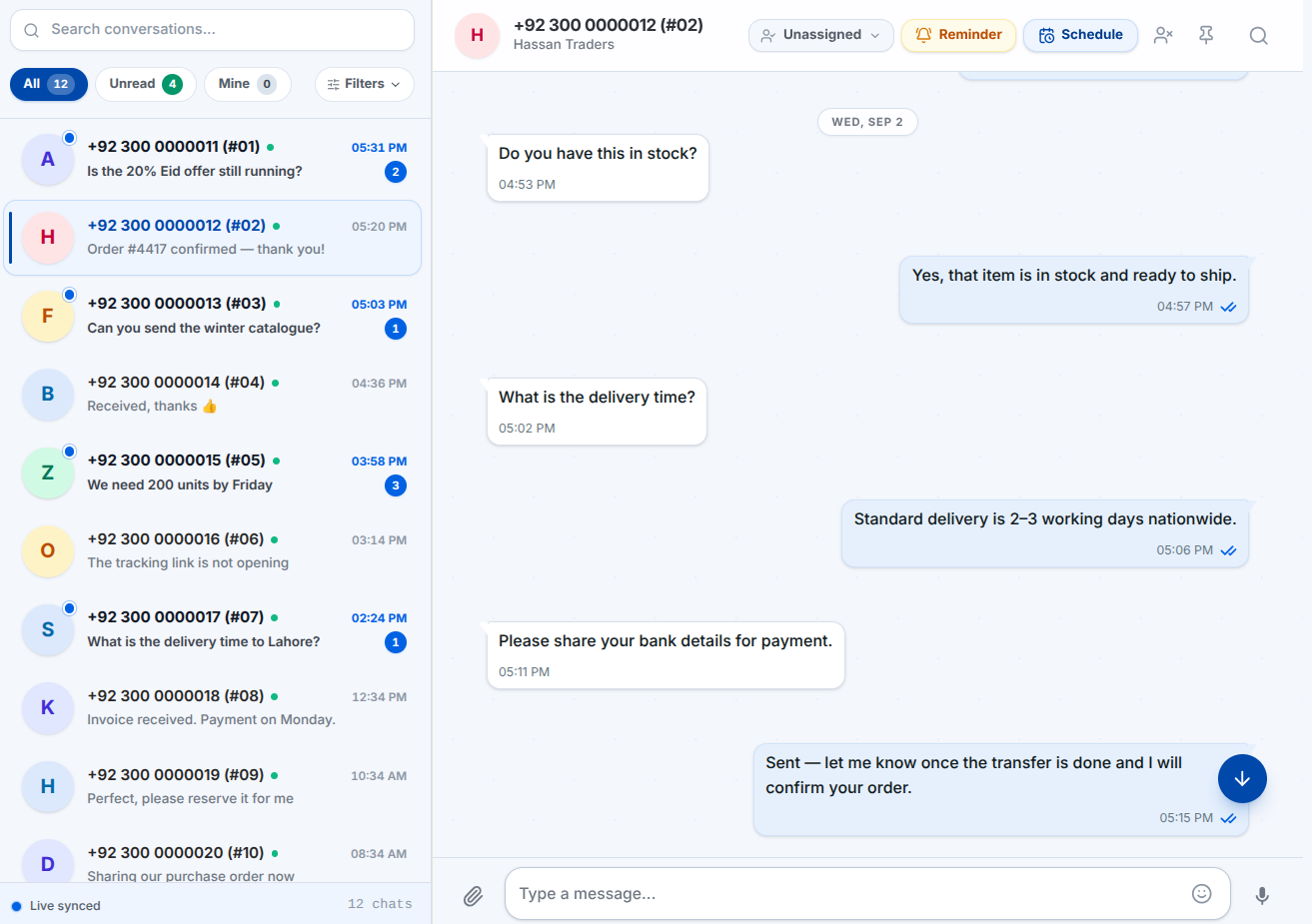
A number connected to the WhatsApp Business Platform normally stops working in the phone app: one number, one client. Coexistence is Meta’s newer path, where the handset and the platform share the number. The owner keeps replying from their phone at the counter, and the team replies from the CRM — into the same conversation.
- The app on the phone keeps sending and receiving
- Messages sent from the handset appear in the shared inbox
- Your team replies from the CRM on the same number
- Existing chat history comes across when you connect
Why it helps when you’re moving a team over
The hardest part of moving a business onto a WhatsApp CRM is not the software; it is the week where nobody trusts it yet. Coexistence removes the cliff edge. Nothing has to be switched off on day one, the owner is not cut off from their own customers, and agents can be moved across a few at a time rather than all at once.
What you still get in the CRM
Coexistence is a connection mode, not a reduced product. Assignment, labels, internal notes, templates, campaigns, automation, analytics and permissions all work exactly as they do on a directly connected number.
- Shared inbox with assignment and internal notes
- Approved templates and broadcast campaigns
- Follow-up reminders and keyword automation
- Analytics on delivery, reads and replies
Connecting a coexistence number
You connect through Meta with your own Business account, choosing the coexistence path during onboarding. You keep ownership of the number and the account throughout, and you can disconnect whenever you want — the CRM never holds your number hostage. If your Meta Business account is not set up or verified yet, we can do that for you for a one-time fee.
Coexistence is on Premium. It needs the newer WhatsApp onboarding path, so Starter and Business connect your number to the CRM directly instead. Every other inbox feature works the same on all three.
Coexistence, answered
Yes. In coexistence mode the WhatsApp Business app on your handset continues to work. What changes is that the same number also appears in the CRM, so your team can see and answer the same conversations.
The Premium plan. Starter and Business connect your number to the CRM directly instead, which means the handset app stops being used for that number.
Yes. A reply typed on the handset appears in the shared inbox against the same conversation, so the history stays in one place no matter who answered or where from.
History sync brings your existing conversations into the CRM when you connect, so your team is not starting from an empty inbox on the first day.
Yes — upgrade to Premium and reconnect the number through the coexistence path. Your conversations, templates and settings stay where they are.
Every feature on this page is unlocked during the RGS Solution free trial.